To check your Indian eVisa application status in 2026, visit indianvisaonline.gov.in/evisa/, click “Check Visa Status”, and enter your Application ID and Passport Number. The portal displays your current status, typically “Under Process,” “Granted,” or “Rejected,” within 72 hours of submission.
Processing time is typically 72 hours, up to 5 working days for complex cases. The Bureau of Immigration, under the Ministry of Home Affairs, manages the portal, which was designed by the National Informatics Centre (NIC). You need both your Application ID and Passport Number to verify your identity and display your Indian eVisa application status.
This is an independent informational guide for UK travellers, not affiliated with the Government of India. Always verify details on the external government portal indianvisaonline.gov.in. If your Indian eVisa application shows an unexpected status like “Pending Payment”, use the portal’s “Verify Payment” feature rather than third-party services.
Prerequisites and Step-by-Step: How to Check Indian eVisa Application Status
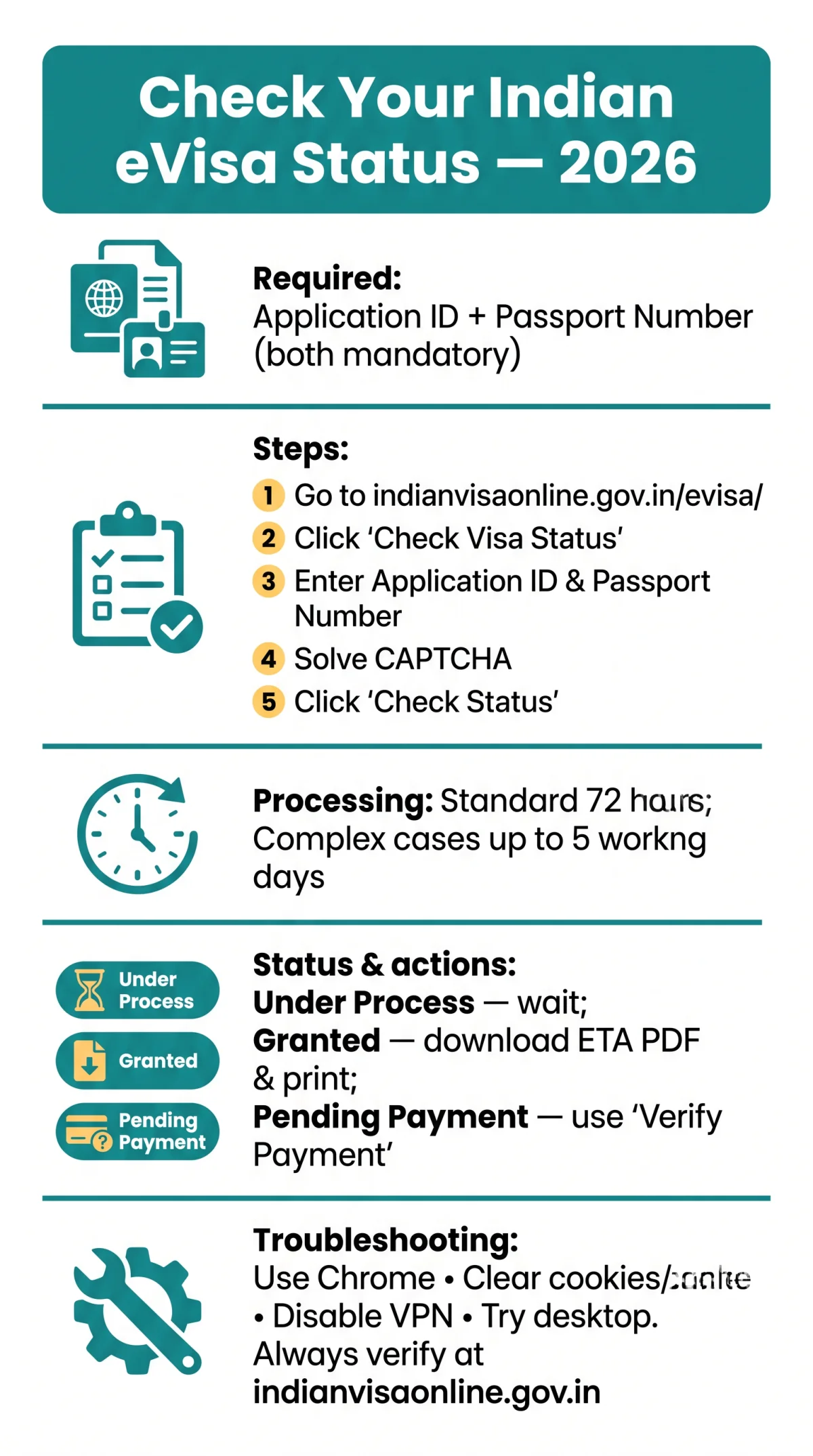
Checking your Indian eVisa application status requires two mandatory credentials: Application ID (from your confirmation email) and Passport Number. Neither works alone. Visit indianvisaonline.gov.in/evisa/, select the “Check Visa Status” tab, enter both, solve the CAPTCHA, and click “Check Status”.
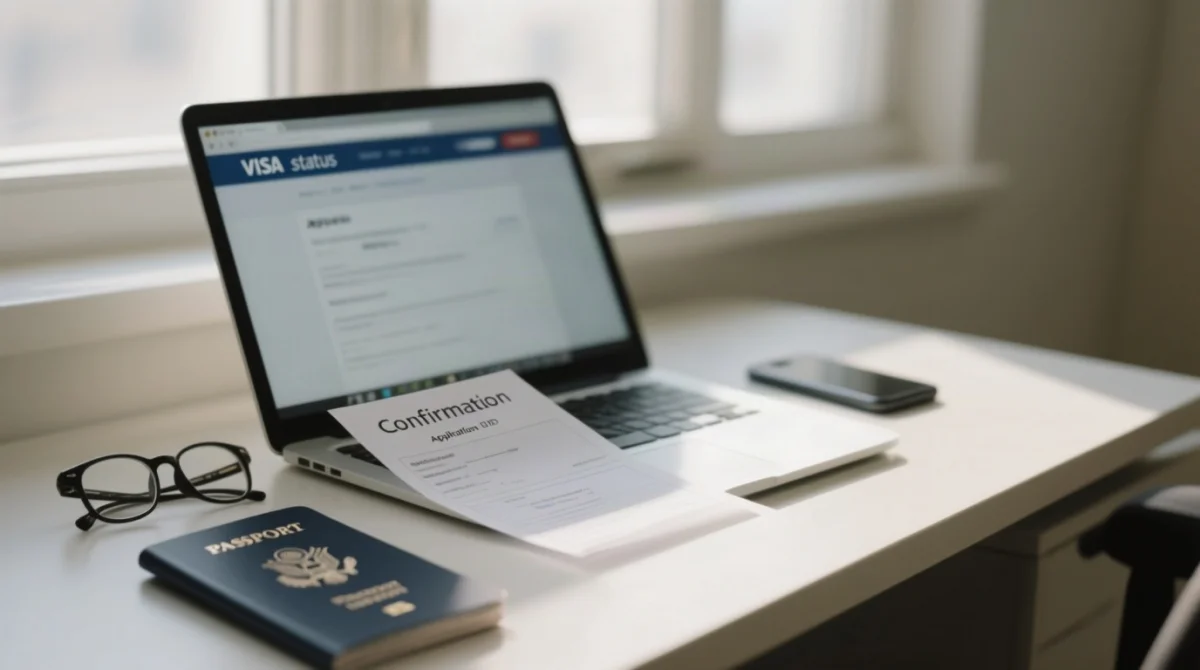
You need: Application ID and Passport Number (both mandatory). Chrome browser recommended (mha.gov.in).
Go to indianvisaonline.gov.in/evisa/
Open the official eVisa portal in your browser.
Click the “Check Visa Status” tab
Locate and select the status-checking tab on the portal.
Enter your Application ID
Type your Application ID in the first field.
Enter your Passport Number
Type your Passport Number in the second field.
Solve the CAPTCHA security verification
Complete the CAPTCHA to confirm you are not a bot.
Click “Check Status” to view your result
Your application status appears in seconds.
Results appear in seconds. For CAPTCHA errors on mobile, use a desktop browser. The Bureau of Immigration processes all Indian eVisa application submissions through this government portal.
Understanding Indian eVisa Application Status and Processing Times
The portal displays five status outcomes for your Indian eVisa application: “Under Process,” “Granted,” “Rejected”, “Pending Payment,” and “Incomplete”. Standard eVisa processing takes up to 72 hours; complex cases may reach 5 working days in 2026.
| Status | Meaning | Typical Duration | Action Required |
|---|---|---|---|
| Under Process | Application is being reviewed by the Bureau of Immigration | 72 hours to 5 working days | Wait; monitor email for updates |
| Granted | eVisa approved; ETA available for download | After processing completes | Download and print the eVisa PDF |
| Rejected | Application denied by the Bureau of Immigration | After processing completes | Review rejection reason; reapply if eligible |
| Pending Payment | Payment not confirmed by the system | Until resolved | Use the “Verify Payment” tool on the portal |
| Incomplete | Application not fully submitted | Until resolved | Log in and complete missing fields |
Regular/paper visas take minimum 3 working days (Indian Mission/Post). A successful Indian eVisa application status check confirms whether your request remains within the standard 72-hour window or requires further action.
How to Resolve a Stuck or Pending Indian eVisa Application
If your Indian eVisa application is stuck, verify payment via the portal’s “Verify Payment” tool, check spam folders for status emails, and contact the Bureau of Immigration helpdesk.
- If status is “Pending Payment” for more than 1 day: Use the “Verify Payment” tool on the portal to confirm the transaction.
- If status is “Under Process” for over 3 days: Check your inbox and spam folder, as status emails may land in spam.
- Lost ID? Use: email inbox search, portal lookup with passport number, or helpdesk.
- If the portal requests further information: Upload additional documents within the specified deadline for your Indian eVisa application.
Indian eVisa Portal Account Access and Troubleshooting
Indian eVisa portal access issues, including CAPTCHA loops and session timeouts, are resolved by clearing cookies, switching to Chrome (recommended by mha.gov.in), and retrying from a desktop browser.
- Clear cookies and cache in your browser settings.
- Use Chrome (recommended by the Ministry of Home Affairs for portal compatibility).
- Disable VPN connections, which can interfere with CAPTCHA rendering.
- Retry the CAPTCHA verification after refreshing the page.
- Switch to a desktop browser if the mobile form fails to render.
The CAPTCHA is mandatory on the Indian eVisa application portal. Session timeouts are common during peak hours. If access issues persist, contact the helpdesk via the “Contact Us” page on indianvisaonline.gov.in for assistance with your Indian eVisa application.
Indian eVisa vs. Regular Visa Portals and Downloading Your Approved eVisa
Indian eVisa applications are tracked on indianvisaonline.gov.in, while regular/paper visas use the Indian Mission portal or VFS Global for UK applicants. Once status shows “Granted,” download the eVisa PDF from the portal and print it before travel.
| Type | Portal URL | Reference Number Needed |
|---|---|---|
| eVisa | indianvisaonline.gov.in/evisa/ | Application ID + Passport Number |
| Regular Visa | visa.vfsglobal.com | Reference number from receipt/invoice |
| e-Arrival Card | boi.gov.in or indianvisaonline.gov.in/earrival/ | N/A (not a visa) |
e-Arrival Card: mandatory for foreign nationals and OCI cardholders, submit 72 hours before arrival via boi.gov.in or indianvisaonline.gov.in/earrival/. Not a visa, separate from your Indian eVisa application.
To download your approved Indian eVisa: log in to the portal, navigate to your application, download the PDF (Electronic Travel Authorization / ETA), and print it before travel.
Visa on Arrival is available for nationals of Japan, South Korea, and UAE at select airports (Delhi, Mumbai, Chennai, Kolkata, Bengaluru, Hyderabad). The Self-Declaration Form (airsuvidha.civilaviation.gov.in) is required for all passengers before reaching Arrival Immigration Counters. The Indian Visa Application Centre (IVAC) handles regular/paper visa processing only, not eVisas.
Contact Indian eVisa Support and Escalation
For unresolved Indian eVisa application issues, contact the Bureau of Immigration via the helpdesk listed on indianvisaonline.gov.in. Include your Application ID, passport number, issue description, and travel date.
| Channel | Where to find it | What to include |
|---|---|---|
| eVisa Helpdesk | “Contact Us” page on indianvisaonline.gov.in | Application ID, passport number, issue description, travel date |
| UK Escalation | hcilondon.gov.in (High Commission of India, London) | Same details as above |
| Regular Visa (IVAC) | [email protected] or www.ivacbd.com | Reference number from invoice/receipt |
The Government of India does not authorize any agent or intermediaries to charge fees for emergency, express visa, eVisas, and eArrival card services. Always use indianvisaonline.gov.in directly to submit and track your Indian eVisa application to avoid potential scams and unnecessary charges.
FAQ
Can I check my Indian eVisa status with my passport number only?
No. Both Application ID and Passport Number are required to check your Indian eVisa application status on indianvisaonline.gov.in.
How do I find my Indian eVisa Application ID if I lost it?
Check your email inbox and spam folder for the confirmation message. If unavailable, use the portal lookup tool with your passport number on indianvisaonline.gov.in. If both fail, contact the eVisa helpdesk for your Indian eVisa application.
What does “Under Process” mean on the Indian eVisa portal?
The Bureau of Immigration is actively reviewing your Indian eVisa application. Standard processing is 72 hours; complex cases may take up to 5 working days in 2026.
How long does it take for an Indian eVisa to be approved?
Standard processing time is 72 hours. Complex cases may require up to 5 working days. Regular or paper visas processed through an Indian Mission or Post require a minimum of 3 working days.
Why is my Indian eVisa status showing “Pending Payment”?
Your payment was not confirmed by the portal. Use the “Verify Payment” tool on indianvisaonline.gov.in to resolve this status for your Indian eVisa application.
Can I track my Indian eVisa through VFS Global if I’m in the UK?
No. VFS Global (visa.vfsglobal.com) is for regular visas only. eVisas are tracked exclusively on indianvisaonline.gov.in using your Application ID and Passport Number.
What should I do if my eVisa application is stuck for more than 7 days?
Verify your payment using the portal tool, check for document upload requests, and ensure status emails are not in your spam folder. If unchanged, contact the eVisa helpdesk with your Application ID and passport number for your Indian eVisa application.
Is the e-Arrival Card the same as my Indian eVisa?
No. The e-Arrival Card is a separate mandatory form submitted within 72 hours before arrival via boi.gov.in or indianvisaonline.gov.in/earrival/. It is not a visa and does not replace your Indian eVisa application.
How do I download my approved Indian eVisa?
Once status shows “Granted,” log in to indianvisaonline.gov.in, navigate to your application, and download the Electronic Travel Authorization (ETA) in PDF format. Print it before travel.
Are third-party agents authorized to process my Indian eVisa?
No. The Government of India does not authorize any agent or intermediaries to charge fees for eVisa services. Use indianvisaonline.gov.in directly for your Indian eVisa application.