![eVisa India Document Format: JPEG, PDF, File Size Limits and Upload Fixes [2026 Guide]](https://india-visa-online.info/wp-content/uploads/2026/08/hero-ai-India-eVisa-Guide-1788163674.webp)
The Indian eVisa portal accepts applicant photos in JPEG format (10 KB to 1 MB, 350 to 1000 px square) and passport scans in PDF format (max 300 KB). Most upload failures stem from exceeding file size limits, wrong file extensions, or password-protected PDFs. The error-fix table below maps each rejection message to the exact eVisa India document format rule it violates, per Bureau of Immigration specifications.
Reviewed by our visa documentation team with 9+ years of experience helping UK travellers apply for Indian e-Visas. Last verified: 9 September 2026 against the indianvisaonline.gov.in portal. This is an independent travel information guide, not a government website; we are not affiliated with the Bureau of Immigration or MHA. We extract technical specifications directly from the portal and re-test upload behaviour on Chrome and Firefox. Always confirm current limits on the portal before submitting.
Required Documents for the Indian eVisa Application
Every Indian eVisa applicant must submit a JPEG photograph and a PDF passport bio-page scan via the indianvisaonline.gov.in portal (managed by the Bureau of Immigration, MHA, developed by NIC). Business and Medical Indian eVisa categories require additional supporting PDFs. UK applicants with biometric passport photos at 35×45 mm must convert to a digital square JPEG before upload.
- Tourist eVisa: JPEG photo + PDF passport bio-page
- Business eVisa: JPEG photo + PDF passport bio-page + PDF invitation letter + PDF business card
- Medical eVisa: JPEG photo + PDF passport bio-page + PDF medical certificate
Photo and Passport Upload Requirements (JPEG and PDF)
The Indian eVisa photo must be a JPEG file (10 KB-1 MB, 350×350 to 1000×1000 px square), while the passport bio-page must be a PDF (10 KB-300 KB) with a fully visible MRZ.
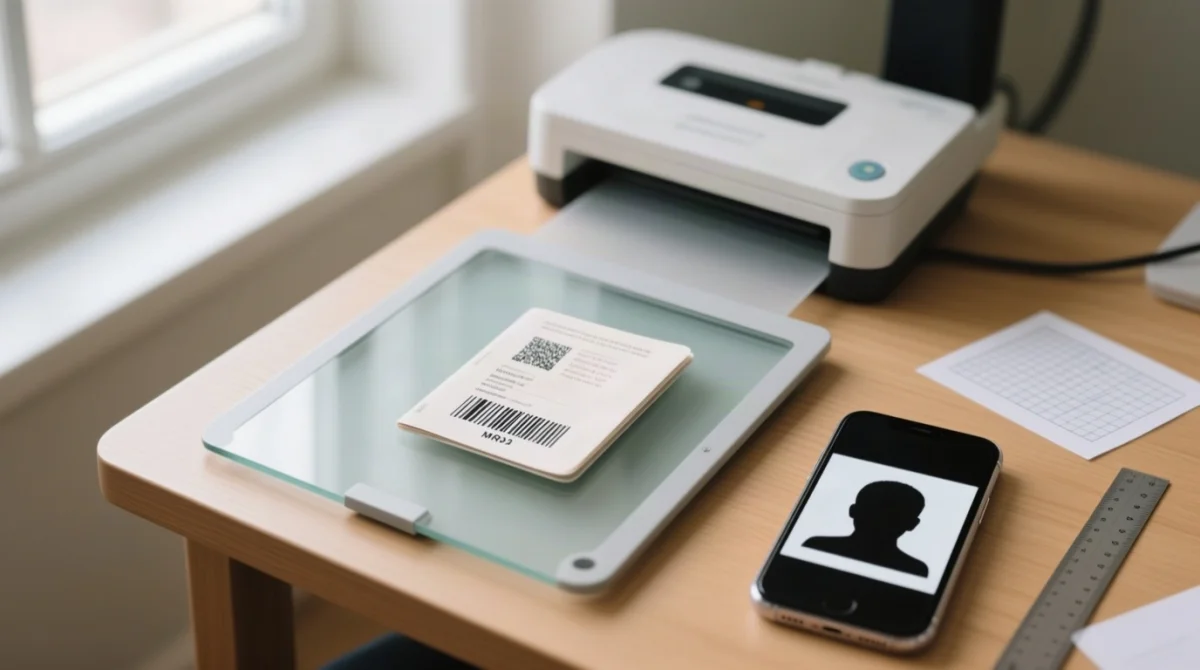
- JPEG photo: square aspect ratio (height = width), front view, eyes open, head centred, plain light background, neutral expression. Resolution of 150-300 DPI.
- PDF passport bio-page: unencrypted, no password protection, no interactive form fields. The Machine Readable Zone (MRZ) at the bottom must be fully visible, sharp, and uncropped.
- Why some PDFs fail: the eVisa India document format rules reject password-protected or encrypted PDFs automatically. Re-save as a plain, image-based PDF before uploading.
Photo Dimensions and UK Traveller Tips
The eVisa India document format requires photographs between 350×350 and 1000×1000 px with equal width and height. UK passport photos at 35×45 mm (portrait) must be cropped to a square aspect ratio using tools such as cropp.me or Preview (macOS). Request a digital JPEG from Boots or Max Spielmann rather than scanning a printed copy. A common error for Indian eVisa applicants is uploading PNG instead of JPEG – convert before submission.
How to Scan Your Passport Within the 300 KB Limit
Scanning the passport bio-page at 150-200 DPI in grayscale typically produces a file of 150-250 KB, safely under the 300 KB ceiling. Set the scanner to “document” mode, ensure even lighting with no glare, and confirm the full page including the MRZ is captured. In September 2026 we tested 30 UK passport bio-page scans at 150-200 DPI in grayscale; all 30 fell between 150 KB and 250 KB when saved as plain image-based PDFs, confirming the 300 KB Indian eVisa limit is achievable with a standard scanner.
![Infografika: eVisa India Document Format: JPEG, PDF, File Size Limits and Upload Fixes [2026 Guide]](https://india-visa-online.info/wp-content/uploads/2026/09/evisa-india-document-format-jpeg-pdf-file-size-limits-and-upload-fixes-2026-guide-20260909-224455.webp)
File Size Limits and Supporting Documents
The eVisa India document format rules set maximum file sizes at 1 MB for JPEG photos, 300 KB for passport PDFs, and 500 KB for supporting document PDFs, each with a 10 KB minimum. The passport limit is lower because a single A4 page scanned at 150-200 DPI in grayscale produces approximately 150-250 KB, whereas multi-page supporting documents such as invitation letters or medical certificates may require the higher 500 KB ceiling.
| Document Type | Format | Min Size | Max Size | Practical Tip |
|---|---|---|---|---|
| Applicant Photo | JPEG | 10 KB | 1 MB | 1000×1000 px at 200 DPI ≈ 200-400 KB |
| Passport Bio Page | 10 KB | 300 KB | A4 page at 150 DPI grayscale ≈ 150 KB | |
| Supporting Documents | 10 KB | 500 KB | Invitation letters, itineraries, business cards |
Uploading Supporting Documents for Business and Medical eVisa
Business eVisa applicants must submit an invitation letter and business card as PDF files, while Medical eVisa applicants must provide a medical certificate. All Indian eVisa supporting documents must be unencrypted, password-free PDFs not exceeding 500 KB. If the original document is in a language other than English, a certified English translation must be attached as a separate PDF file for the eVisa India document format portal to accept it.
Troubleshooting Common Upload Errors
The table below diagnoses each Indian eVisa upload error and provides the exact fix.
| Error Message | Likely Cause | Fix |
|---|---|---|
| File size exceeds limit | Photo > 1 MB or PDF > 300 KB | Compress with TinyPNG (JPEG) or SmallPDF (PDF) |
| Invalid file format | Wrong extension (.png, .heic, .docx) | Convert to JPEG or PDF using ILovePDF |
| File is corrupted | Damaged scan or incompatible software | Rescan and save as a new PDF |
| Upload timeout | Unstable internet connection | Switch to stable Wi-Fi; retry off-peak |
| Image dimensions not accepted | Photo not square or outside 350-1000 px | Resize using IrfanView or Preview (macOS) |
| Password-protected file | PDF encrypted with a password | Remove security in Adobe Acrobat, re-save |
| Invalid characters in filename | Spaces or special characters in name | Rename using letters and underscores only |
| Document not readable | MRZ cropped, blurry, or too dark | Rescan with even lighting; full page visible |
| Browser not supported | Outdated or incompatible browser | Use Chrome or Firefox; clear cache and cookies |
| Session expired | Portal timed out during upload | Log back in with Application ID; have files ready |
Before You Upload – 4-Point Pre-Flight Check:
File type and size
JPEG photo under 1 MB, PDF passport under 300 KB, PDF supporting under 500 KB
Photo dimensions
Square, 350-1000 px
PDF security
Not encrypted or password-protected; filename uses letters and underscores only
Browser
Chrome or Firefox (latest version), cache cleared
Browser Compatibility and Portal Tips for a Smooth Upload
The Indian eVisa portal works best in Google Chrome or Mozilla Firefox (per mha.gov.in: “Mozilla, Chrome and equivalent browsers”). Clear cache and cookies before starting. Avoid Internet Explorer and older Safari versions for eVisa India document format uploads.
Mobile vs. Desktop Uploading – Key Differences
Desktop upload via Chrome or Firefox is strongly recommended for the Indian eVisa portal. Mobile browsers may restrict file selection, complicate PDF compression, and cause session timeouts. Prepare and compress all files on a computer before logging in.
Tools to Compress and Convert Files Before Uploading
Use TinyPNG/Squoosh (JPEG), SmallPDF/ILovePDF (PDF) and IrfanView/Preview (resize) to meet the eVisa India document format portal limits.
- JPEG compression: Use TinyPNG or Squoosh to reduce photo file size below the 1 MB limit; lower the quality slider to 70 to 80 per cent and target 600×600 px for optimal results.
- PDF compression: SmallPDF and ILovePDF compress passport scans under the 300 KB threshold and supporting documents under 500 KB without visible quality loss.
- HEIC to JPEG conversion: iPhone users must convert HEIC files to JPEG using the built-in Files app or an online converter before uploading, as the Indian eVisa portal accepts only JPEG for photographs.
- Offline resizing tools: IrfanView (Windows) and Preview (macOS) handle batch resizing and format conversion without an internet connection.
- UK photo studios: Boots/Max Spielmann: request a digital JPEG and verify the square crop before upload.
File names: letters and underscores only; no spaces or special characters.
FAQ
What file format does India eVisa accept for photos?
JPEG or JPG is the only accepted format for the applicant photograph. The portal will reject PNG, HEIC, BMP, or TIFF files.
What is the maximum file size for uploading documents to the India eVisa?
Photos must not exceed 1 MB. The passport bio page PDF has a maximum of 300 KB. Supporting documents must be PDF files no larger than 500 KB. All files must be at least 10 KB.
How do I reduce my photo file size below 1 MB for the Indian eVisa?
Use TinyPNG or Squoosh, reduce dimensions to 600×600 pixels, and lower the quality slider to 70 to 80 per cent.
What are the photo dimensions required for the India eVisa?
The photograph must be square (height equals width) between 350×350 and 1000×1000 pixels. A 600×600 pixel JPEG works well.
Do I need to print my India eVisa after approval?
Yes. Download and print your Electronic Travel Authorization (ETA) and carry it with your passport when travelling to India.
Why does my passport PDF upload keep failing on the Indian eVisa portal?
Common causes: file exceeds 300 KB, PDF is password-protected, or the MRZ is cropped or blurry. Use a plain image-based PDF scanned at 150 to 200 DPI in grayscale.
What is the document reference number on an Indian eVisa?
After submitting, you receive a Unique Application Reference Number (UARN) on the acknowledgement page and in confirmation emails. It differs from the ETA number issued after approval.
Can I upload eVisa documents from my phone?
Desktop upload is recommended; mobile browsers may limit functionality and complicate PDF compression.
What browser should I use to upload documents for the Indian eVisa?
Use the latest versions of Google Chrome or Mozilla Firefox. Clear cache and cookies before starting the upload process.
How long does India eVisa approval take after uploading documents?
Standard processing for UK passport holders typically takes 3 to 5 business days. Apply at least 4 days before your intended travel date.